

It's 11pm, the assignment is due tomorrow, and the terminal says:
Exception in thread "main" java.lang.NullPointerException:
    Cannot invoke "String.length()" because "names[0]" is null
    at GradeBook.longestName(GradeBook.java:24)
    at Main.main(Main.java:9)
Here's the thing nobody tells you in week one: Java homework is rarely hard because the concepts are hard. It's hard because five specific runtime and compiler errors consume nearly all of the debugging time, and no one teaches them as a unit. This guide does — each one with the broken code, the fix, and the habit that stops it recurring. Then we'll cover the skill that makes all five faster: actually reading a stack trace.
Error 1: NullPointerException — you made the box, not the thing inside
Java's most famous crash. Declaring an array of objects creates the slots, not the objects:
String[] names = new String[3];
System.out.println(names[0].length());  // NullPointerException
Every element of names starts as null. Calling any method on null throws. The fix is to make sure something real is in the slot before you use it:
String[] names = {"Ada", "Grace", "Alan"};
System.out.println(names[0].length());  // 3
The habit: when an NPE names a variable, don't ask "why did it crash?" — ask "who was supposed to assign this, and did they run?" Since Java 14 the message tells you exactly which variable was null (as in the trace above), which turns the hunt into a one-liner.
Error 2: ArrayIndexOutOfBoundsException — the <= that ruins loops
The off-by-one. A three-element array has indices 0, 1, 2 — and <= walks one step past the end:
int[] scores = {90, 85, 77};
for (int i = 0; i <= scores.length; i++) {  // i reaches 3
    System.out.println(scores[i]);           // crashes at i = 3
}
Two fixes, in order of preference:
for (int score : scores) {          // can't go out of bounds
    System.out.println(score);
}

for (int i = 0; i < scores.length; i++) {   // when you need the index
    System.out.println(scores[i]);
}
The habit: default to the for-each loop; only use an indexed loop when the assignment genuinely needs the index. If you see <= next to .length in your own code, treat it as guilty until proven innocent.
Error 3: the Scanner that skips your input
The classic symptom: the program "doesn't wait" for your second input, and a String comes back empty.
Scanner in = new Scanner(System.in);
int age = in.nextInt();          // reads "19" but NOT the Enter key
String name = in.nextLine();     // instantly consumes the leftover newline → ""
nextInt() reads the number and stops before the newline you typed by pressing Enter. The next nextLine() sees that leftover newline and returns an empty string immediately. Two clean fixes:
int age = in.nextInt();
in.nextLine();                   // burn the leftover newline
String name = in.nextLine();     // now waits for real input
or the more robust pattern — read whole lines, parse what you need:
int age = Integer.parseInt(in.nextLine());
String name = in.nextLine();
The habit: never mix nextInt()/nextDouble() with nextLine() without knowing where the newline went. Line-then-parse sidesteps the whole class of bug.
Error 4: "non-static method cannot be referenced from a static context"
The compiler error that reads like a legal notice. It appears the first week you write a helper method:
public class Main {
    public static void main(String[] args) {
        greet("Sam");   // ✗ non-static method greet(String) cannot be
    }                   //   referenced from a static context
    void greet(String name) {
        System.out.println("Hi " + name);
    }
}
main is static — it belongs to the class itself. greet is an instance method — it belongs to an object of the class, and no object exists yet. Either create one, or make the helper static too:
new Main().greet("Sam");   // option A: make an object

static void greet(String name) { ... }   // option B: make it static
greet("Sam");
The habit: for early assignments where methods are just helpers with no per-object state, option B is usually what your instructor intends. The moment a method needs fields, it should be an instance method called on an object.
Error 5: == vs .equals() — the bug that doesn't crash
The worst kind of bug: no exception, no red text, just a condition that's never true.
Scanner in = new Scanner(System.in);
String command = in.nextLine();
if (command == "quit") {         // compiles, runs, never true
    System.out.println("Bye");
}
For objects, == asks "are these the same object in memory?" — not "do they hold the same characters?" A string read at runtime is a different object from the literal "quit", so == is false even when the text matches. Compare content with .equals():
if (command.equals("quit")) { ... }
if ("quit".equals(command)) { ... }   // also null-safe
The habit: in student code, == between two Strings is essentially always a bug — it only appears to work in tests because of string interning, then fails on real input. Make .equals() the reflex; the literal-first form also protects you when the variable might be null.
The meta-skill: reading a stack trace properly
All five errors get dramatically cheaper once you stop treating the stack trace as noise. Take the trace from the top of this post:
Exception in thread "main" java.lang.NullPointerException:
    Cannot invoke "String.length()" because "names[0]" is null
    at GradeBook.longestName(GradeBook.java:24)
    at Main.main(Main.java:9)
Read it in this order:
- First line — what happened. The exception type and, in modern Java, exactly which reference was null.
- Scan the
atlines for the first one in your code.GradeBook.java:24is yours; that's where to look. Frames fromjava.utilor a framework are usually just the road the crash travelled, not the cause. - If there's a
Caused by:chain, read to the bottom-most one. Wrapped exceptions bury the real culprit at the bottom of the trace — the deepestCaused by:is the original crime; everything above it is repackaging.
When you're still stuck: screenshot the error
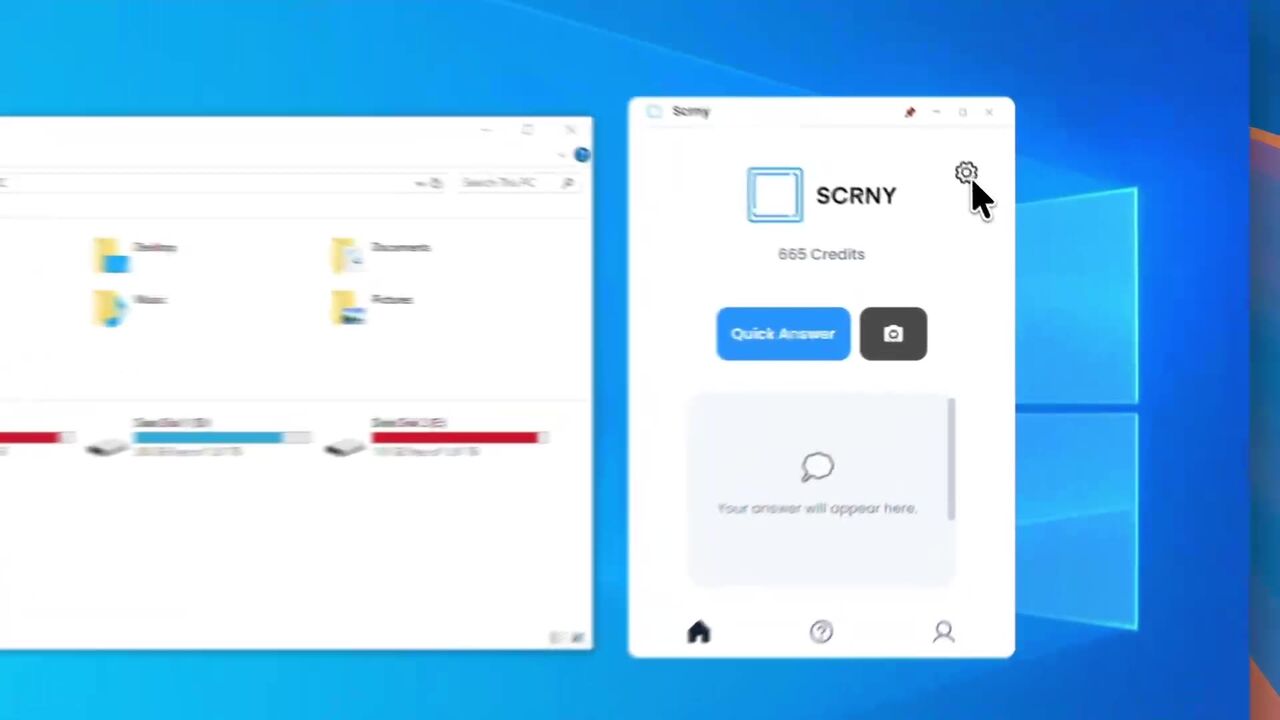
Sometimes the trace names your line and it still makes no sense — the third missing-semicolon-style compiler error of the night, or an exception two libraries deep. That's the moment Scrny's Tech Support mode is built for: screenshot the error block — IDE, terminal, doesn't matter — and it reads the whole thing verbatim, file paths and line numbers preserved, then returns a one-line plain-English explanation and the first three fixes in priority order, cheapest first. Median 2.4 seconds, which matters at 11pm.
For the learning side rather than the unblocking side, Learn Mode inverts the flow: it hides the answer and walks you through a practice problem with one guiding question at a time — useful for exam prep on OOP concepts, where being asked "what does static actually mean here?" beats being told. And if you're weighing up the whole category of AI study tools, the honest comparison in our guide to the best AI homework helpers covers where these tools genuinely help and where they don't.
The integrity line is the same one your course draws: decoding your own errors and checking your reasoning is studying. Submitting code you didn't write and can't explain is not — and it also fails you in week 10, when the exam asks you to explain it.
The fastest Java homework help is pattern recognition
Java programming homework help usually gets framed as "someone to explain the assignment." In practice, most lost hours are these five errors plus an unread stack trace. Learn the five patterns, read traces top-line-first, keep a fast explainer within reach for the genuinely cryptic cases — and the midnight sessions get shorter every week.