

It’s 10 PM on a Tuesday. You’re staring at a physics problem that looks more like ancient hieroglyphics than anything your teacher covered in class. Your textbook isn’t helping, YouTube tutorials are too long, and your study group chat has gone silent. Sound familiar?
Every student hits that wall — the moment when homework stops feeling productive and starts feeling impossible. The frustration isn’t just about one tough question. It’s about the cascade: fall behind on one concept, and suddenly the next three assignments feel out of reach. That’s exactly why millions of students are turning to apps that help with homework, not to skip the learning, but to get unstuck and keep moving forward.
The good news? In 2026, homework helper apps have evolved far beyond simple answer databases. Today’s best tools use artificial intelligence to analyze questions, break down complex problems, and guide students through solutions step by step. Among these, Scrny has emerged as a standout — a desktop and mobile application that lets you screenshot any homework question and receive a detailed, intelligent explanation in seconds. But before we dive into what makes Scrny different, let’s explore the full landscape of apps that help with homework and how to choose the right one for your needs.
What Are Homework Helper Apps and Why Do Students Need Them?
Homework helper apps are software tools — available on desktop, mobile, or both — designed to assist students with academic assignments across a range of subjects. They can help with everything from solving algebra equations to explaining historical events, writing code, and answering multiple-choice science questions.
But why the growing demand? Several factors are driving students toward these tools in 2026:
- Increasingly rigorous curricula: Standards have risen, and students are expected to master concepts faster than ever.
- Limited access to tutors: Private tutoring is expensive and not available on-demand at 10 PM on a school night.
- Diverse learning styles: Not every student absorbs information the same way. Some need problems broken into smaller steps. Others need visual explanations or a Socratic approach that guides them to the answer.
- Self-paced study: Apps that help students with homework allow learners to move at their own speed, revisiting tricky problems without embarrassment.
The key distinction between a genuinely useful homework app and a shortcut tool is how it delivers help. The best apps for homework help don’t just spit out answers — they teach you why the answer is what it is.
How Modern Homework Assistance Apps Work
Not all homework apps are created equal. Understanding how different apps approach the problem-solving process will help you choose the right one. Here’s a breakdown of the most common approaches you’ll encounter.
Search-Based Answer Databases
Some apps rely on massive libraries of pre-answered questions. You type in your question (or search for a matching one), and the app serves up an existing solution. While this can be helpful for common textbook problems, it falls short when you encounter anything unique, rephrased, or from a custom worksheet your teacher created.
AI-Powered Analysis Tools
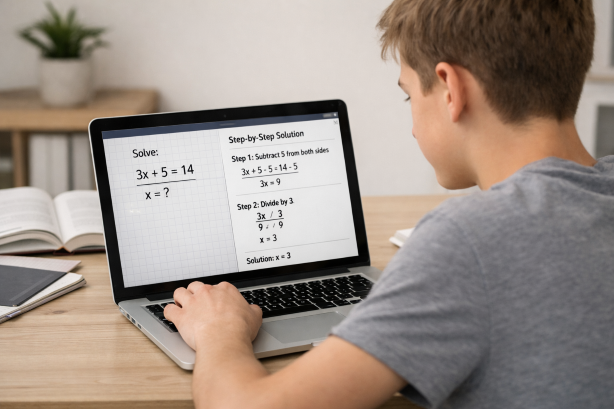
The most advanced apps that help with homework in 2026 use artificial intelligence to analyze your specific question — not just match it to a database. These tools can interpret images, parse handwritten equations, read graphs, and understand the context of a problem before generating a tailored explanation.
Scrny falls squarely into this category. Instead of searching a database, Scrny uses screenshot technology: you capture an image of your homework question, and the AI analyzes exactly what’s on your screen. This means it works with any subject, any format, and any source — textbook, worksheet, online assignment, or handwritten notes.
Subject-Specific Calculators
Some apps focus narrowly on one discipline, like math. They’re essentially enhanced calculators that can show you the steps of a computation. These can be useful for arithmetic and algebra, but they typically can’t help you with a biology reading question, a coding assignment, or a multiple-choice history quiz.
Peer and Tutor Platforms
Other apps connect you with human tutors or other students who can answer your questions. These platforms can offer personalized, nuanced help, but they come with downsides: wait times, inconsistent quality, and limited availability during peak homework hours.
What to Look for in the Best Apps for Homework Help
With so many options on the market, how do you identify apps that will genuinely help you learn — not just get through tonight’s assignment? Here are the criteria that matter most.
Subject Versatility
The best homework helper apps cover a wide range of subjects. You shouldn’t need one app for math, another for science, and a third for coding. Look for tools that handle:
- Math (algebra, geometry, calculus, statistics)
- Science (physics, chemistry, biology)
- Computer science and coding
- Multiple-choice questions across all subjects
- General academic questions (history, English, economics)
Scrny covers all of these categories. Because it analyzes screenshots rather than relying on typed input or a subject-specific engine, it can interpret virtually any type of homework question you throw at it.
Explanation Quality Over Answer Speed
An app that gives you the answer in one second but doesn’t explain the reasoning is a wasted opportunity. You might complete tonight’s homework, but you’ll be just as lost on tomorrow’s quiz. Prioritize apps that offer:
- Step-by-step breakdowns
- Clear explanations of underlying concepts
- Multiple approaches to a problem when applicable
Learning Modes
This is where Scrny particularly stands out. The app offers two distinct modes:
- Answer Mode: Provides a direct, detailed solution with full explanations. Ideal when you need to check your work or understand a completed problem.
- Learn Mode: Uses a Socratic method to guide you toward the answer with questions and hints rather than giving it away. This approach builds deeper understanding and critical thinking skills.
Having both options in a single app means you can adapt your study approach based on the situation — use Learn Mode when you have time to dig deep, and Answer Mode when you need efficient clarification.
Input Flexibility
Typing out a complex equation or a lengthy word problem is tedious and error-prone. The best apps that help with homework let you input questions in the most natural way possible. Screenshot-based homework help is the gold standard here — just capture what’s on your screen or snap a photo of your worksheet, and the AI takes it from there.
Platform Availability
Consider where you do your homework. If you primarily work on a laptop, you need a desktop application. If you study from your phone or tablet, mobile support matters. Scrny is available for both Windows and macOS, as well as mobile devices, making it accessible wherever you study.
How Scrny Works: From Screenshot to Understanding
Let’s walk through a practical example of how Scrny functions as a homework assistance app.
Scenario: You’re working on a chemistry assignment and encounter this question: “Calculate the molarity of a solution prepared by dissolving 11.7 g of NaCl in enough water to make 0.500 L of solution.”
Step 1: Screenshot the question. Whether it’s displayed on your screen in an online assignment portal or printed on a physical worksheet you photograph, Scrny captures it instantly.
Step 2: Scrny’s AI analyzes the image. The application recognizes the chemistry context, identifies the relevant formula (Molarity = moles of solute / liters of solution), and extracts the given data (11.7 g NaCl, 0.500 L).
Step 3: You receive a tailored explanation.
In Answer Mode, Scrny would walk you through:
- Finding the molar mass of NaCl (22.99 + 35.45 = 58.44 g/mol)
- Converting grams to moles (11.7 g ÷ 58.44 g/mol ≈ 0.200 mol)
- Dividing by volume (0.200 mol ÷ 0.500 L = 0.400 M)
- Explaining what molarity means conceptually
In Learn Mode, Scrny might ask: “What’s the first thing you need to find before you can calculate molarity?” — guiding you to recall the moles-first approach on your own.
This same process works for math problems, coding questions, multiple-choice exams, and more. The screenshot input means there’s no subject limitation — if you can see it on a screen or paper, Scrny can analyze it.
Why Choose Scrny Over Other Apps That Help With Homework
The homework app market is crowded. Here’s why Scrny consistently earns a place at the top of students’ toolkits in 2026:
- Universal input: Screenshot any question from any source. No typing, no searching, no hoping your exact problem is in a database.
- Dual learning modes: Answer Mode for efficiency, Learn Mode for deep understanding. No other app balances both as seamlessly.
- Multi-subject coverage: Math, science, coding, multiple choice, general questions — one app handles it all.
- Desktop-first design: Built for the way students actually study, with full support for Windows, macOS, and mobile.
- Privacy-focused: Your screenshots and questions are processed securely. Scrny is designed as a personal study tool, not a social platform.
- Detailed explanations: Every response aims to teach, not just answer. You get the why behind every solution.
Scrny isn’t positioned as a shortcut. It’s an AI homework helper built for students who want to understand their coursework more deeply — and who recognize that getting unstuck quickly is essential to staying motivated and engaged.
Tips for Using Homework Helper Apps Effectively
Having a powerful tool is one thing. Using it well is another. Here are best practices to ensure apps that help with homework actually improve your learning outcomes.
1. Attempt the Problem First
Before screenshotting a question, give it a genuine try. Even a failed attempt creates a mental framework that makes the explanation more meaningful when you read it. You’ll understand not just what the right approach is, but why your initial approach didn’t work.
2. Use Learn Mode When Time Allows
It’s tempting to go straight for answers, especially under deadline pressure. But whenever you have the time, opt for Scrny’s Learn Mode. The Socratic approach forces active engagement with the material, which dramatically improves retention.
3. Review Explanations, Don’t Just Copy Solutions
Read through every step of the explanation. If something doesn’t make sense, screenshot a follow-up question or rephrase your confusion. Treat the app like a tutor conversation, not a copy-paste source.
4. Use Apps to Supplement — Not Replace — Class Time
Homework helper apps are most effective as a complement to lectures, textbooks, and study groups. They fill the gaps that inevitably arise when you’re studying independently, but they work best when you already have a foundation from class.
5. Build a Study Routine
Consistency matters more than intensity. Use Scrny regularly as part of a nightly study routine rather than only in panic-mode before exams. Regular use helps you identify patterns in your learning gaps and address them proactively.
Frequently Asked Questions
What are the best apps that help with homework in 2026?
The best homework helper apps in 2026 use AI to analyze specific questions and provide detailed, step-by-step explanations. Scrny is a leading option, offering screenshot-based input, dual learning modes, and coverage across math, science, coding, and general subjects. The ideal app for you depends on your study habits, but versatility and explanation quality should be top priorities.
Can homework helper apps work with any subject?
Many homework apps specialize in one subject, particularly math. However, apps like Scrny that use screenshot-based AI analysis can handle virtually any subject because they interpret the visual content of your question rather than relying on subject-specific engines. This includes math, science, coding, multiple choice, and written response questions.
Are apps that help with homework considered cheating?
Using a homework app ethically depends on how you use it. If you use it to understand concepts, check your work, and learn from detailed explanations, it’s no different from using a textbook or asking a tutor. Scrny’s Learn Mode is specifically designed to promote genuine understanding by guiding you through problems rather than simply handing over answers. Always follow your school’s academic integrity policies.
Do I need an internet connection to use Scrny for homework help?
Scrny is a desktop and mobile application that processes questions using AI. You’ll need an internet connection for the AI analysis to work. However, because the app is installed locally on your device, it launches quickly and integrates smoothly into your workflow without relying on a browser or web interface.
Homework doesn’t have to be a nightly battle against confusion and frustration. The right tools can transform those stuck moments into breakthroughs — turning a question you don’t understand into a concept you’ll never forget. Apps that help with homework have come a long way, and in 2026, AI-powered solutions like Scrny represent the smartest, most efficient way to study.
Whether you’re wrestling with calculus, decoding a chemistry problem, debugging code, or working through a stack of multiple-choice questions, Scrny is ready to help. Screenshot your question, choose your learning mode, and get the detailed explanation you need to move forward with confidence. Visit scrny.ai to get started and experience what smarter homework help feels like.
Turn a Screenshot Into an AI Answer in 3 Seconds.
Snip an image and let our AI answer generator do the rest.
Save time: no copy-pasting questions.
Stay accurate: 99 % accuracy using the latest AI answer generator technology
Monthly Subscription. Cancel anytime.
Recommended Articles

[
AI Homework Helper: Screenshot Any Question, Get Instant Answers
](https://scrny.ai/)
By Scrny.ai
[
How to Use Screenshot Homework Help: Snap a Photo, Get Step-by-Step Solutions
](https://scrny.ai/blog/screenshot-homework-help)
By Scrny.ai

[
Best AI Homework Helper 2026: Top Tools Compared
](https://scrny.ai/blog/best-ai-homework-helper)
By Scrny.ai