
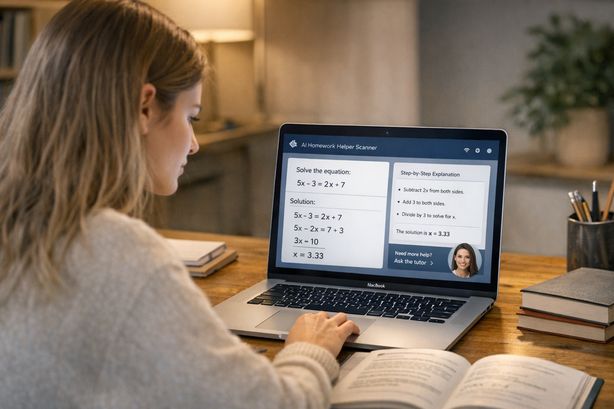
Search "homework scanner" and you'll find twenty apps with the same screenshots, the same star ratings, and the same promise: point it at the problem, get the answer. What none of the listings tell you is where each one breaks — and they all break somewhere, because reading a messy, real-world homework question out of an image is genuinely hard.
This is a buyer's guide to the category written from inside it. We build Scrny, a screenshot-based scanner, so we'll tell you where it sits — but the anatomy below applies to every tool in the space, ours included, and so does the six-screenshot test. Run it on anything before you pay.
The five things that separate a good scanner from a bad one
1. Reading quality on hard inputs, not clean ones
Every scanner reads a typed, well-lit algebra problem. The gap opens on the inputs your actual homework is made of: handwriting, subscripts and superscripts, Greek letters, fraction stacks, diagrams with labels. A scanner that misreads x² as x2, or drops the minus sign in an exponent, doesn't give you a slightly wrong answer — it confidently solves a different problem. Scrny's Vision Engine works from the image itself rather than text-only OCR, which is what lets it read handwriting, diagrams, and notation-heavy questions; whatever tool you evaluate, this is the first capability to stress-test.
2. Subject coverage beyond math
Most of the category grew out of camera calculators, so math coverage is table stakes. The differences show up when the question is a chemistry mechanism, a stats output table, a Java stack trace, or a biology question built around a diagram. If you take more than one subject — and you do — a math-only scanner means keeping a second and third app around. Check the tool against your actual course list, not its demo reel.
3. Reasoning, not just an answer
An answer with no working is only useful for copying, and copying is the one use that teaches you nothing (and gets flagged). The test: does the tool show why? On multiple choice, does it explain why the wrong options are wrong — which is where the actual learning lives? Scrny puts the full reasoning one tap behind every answer, and its multiple choice mode walks through every option, not just the winning letter. A tool that can't explain itself also can't be checked, which matters because every AI scanner is sometimes wrong.
4. Speed you'll actually use mid-session
There's a threshold — somewhere around ten seconds — where a tool stops being part of your homework flow and becomes a context switch. Upload portals, file pickers, and "processing…" bars all push past it. A scanner you invoke with a screenshot and read within a few seconds (Scrny averages about 2.4) is one you'll use to check every answer; one that takes a minute is one you'll use twice and abandon.
5. Honest pricing
Free scanners aren't free — they're paid for with ads between answers, watermarks, hard caps, or explanations locked behind the real paywall. That's not a scandal, it's just economics: every scan is a vision-model call that costs the provider money. The honest question is whether the pricing is legible. Scrny's is deliberately simple: $1.99/month for 15 answers, $5.99 for 200, $7.99 for 500, cancel anytime, no free tier and no ads. Whatever you choose, find the real per-month cost of the way you'd use it before trusting a "free" badge.
The six-screenshot test
Don't read reviews — run a trial. Feed any candidate scanner these six captures from your own coursework and you'll know more than any listing can tell you:
- A handwritten equation — yours, at normal messiness. Tests notation OCR where it actually fails.
- A multi-part question ("find x, then use it to…") — tests whether the tool tracks context across parts or answers only the last line.
- A diagram question — geometry figure, circuit, labelled cell. Tests whether the image is read as part of the question or skipped.
- A code error — a stack trace or failing snippet. Tests coverage outside math; Scrny routes these to Tech Support mode.
- A deliberately bad photo — low light, slight angle. The pass isn't getting it right; it's failing loudly instead of guessing silently.
- A dense textbook page with the question embedded in prose — tests whether the scanner finds the question or summarises the page.
Score each answer on two axes: did it read the input correctly, and could you follow the working? A scanner that aces 1–4, admits defeat on 5, and navigates 6 is a keeper.
Whatever you pick: capture like it matters
Half of "the scanner got it wrong" is really "the scanner was handed a bad input." Four habits fix most of it:
- Crop to the question. One question per capture. A full page makes the tool guess which problem you meant — that's test #6 for a reason.
- Include the question's dependencies. If the problem references a formula sheet, a data table, or a passage, it's part of the question; capture it or expect an answer built on missing information.
- Get all the parts. Multi-part stems and answer options that wrap to a second column are the most common silent truncation.
- Photograph paper flat and lit. For physical worksheets, shoot from directly above in decent light. No vision model reads through glare, and the good ones shouldn't pretend to.
Thirty seconds of capture discipline buys more accuracy than any difference between the top tools in the category.
Camera-scan apps vs screenshot-based scanners
The category splits into two shapes, and the right one depends on where your homework lives:
| Camera-scan apps | Screenshot-based (Scrny) | |
|---|---|---|
| Input | Phone camera over paper | Anything on your screen (+ phone photos) |
| Home turf | Printed textbooks, worksheets | Online quizzes, PDFs, LMS platforms, code |
| Typical coverage | Strong math focus | Math, MCQ, science, code, diagrams |
| Failure mode | Screen glare, non-math subjects | Physical paper needs a photo first |
If your homework is mostly printed math on paper, a dedicated camera app is genuinely the better-shaped tool — Photomath in particular is excellent at camera-captured math with animated steps, and we say as much in our honest comparison. If your homework lives on a screen — online problem sets, PDF chapters, certification practice banks, coding assignments — a screenshot tool fits the way you already work: the question is on your display, and the capture is the input.
Where Scrny sits
Scrny is a screenshot-first scanner: it reads exactly the capture you hand it — it never watches your screen in the background — and returns the answer in about 2.4 seconds with the reasoning one tap away. It's tested at 99% accuracy on standard multiple-choice practice-exam questions (AZ-900, AWS Cloud Practitioner, CompTIA, CCNA banks), reads handwriting and diagrams, and covers math, multiple choice, science, and code in one app. When you want to be taught rather than told, Learn Mode swaps the instant answer for Socratic guidance. And it's built for practice and study — not for graded exams, which is a line we'd rather draw ourselves than have drawn for us.
If that matches the six-screenshot test you just ran, you can see the full picture — including what the wider field does well — in our guide to the best AI homework helpers.